Ghalib2.0
Publisher Description
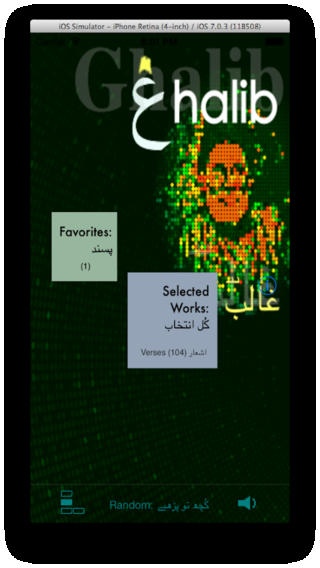
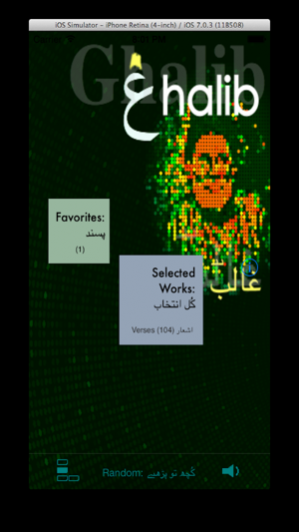
Thank you to all the great reviewers of the Ghalib App. Please take time to review the app - especially if you find it useful and have not done so.
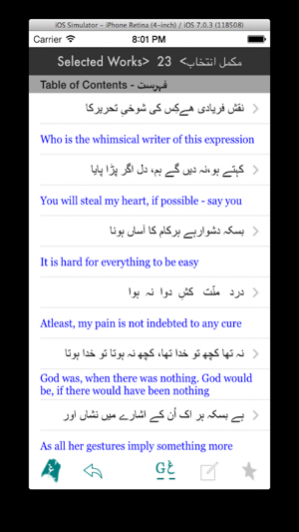
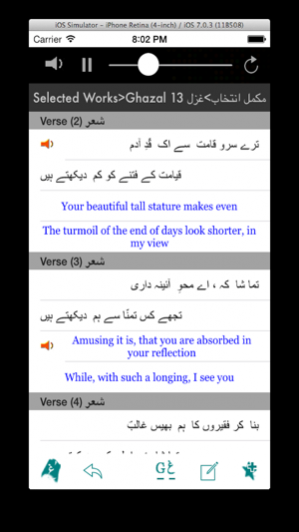
This App is a selection of Ghalib’s Poetry with more than 100 verses presented in Urdu, Roman Urdu (Transliteration), and English Translation
Narration by Khalid Hameed.
The App links each verse to Dr Frances Pritchett’s website (Columbia University) on Ghalib for Explication.
Features of the App:
> User can choose the language for verses to be presented in either Urdu, Roman Urdu (transliteration), combined with English Translations.
> Verses categorized according to Moods and Subjects found in Ghazaliyat.
> Each verse is linked to Columbia University’s Web Site for explication.
> Each verse has a Glossary in English for difficult words.
> Narration and Music Background of each verse.
> Text (SMS) or E-Mail a verse, or a ghazal directly.
> Add verses to your Favorite Selection.
> All Menu Items are in both Urdu and English.
> Random Verse with Narration.
Jan 10, 2014 Version 2.0
Fixed bugs specific to iOS 7.0 upgrade.
Allows the app to run in the background.
Re-mastered audio files.
Advertising is added to support development continuity.
Similar Apps page will be shown occasionally.
About Ghalib
The company that develops Ghalib is Engineerize LLC. The latest version released by its developer is 2.0.
To install Ghalib on your iOS device, just click the green Continue To App button above to start the installation process. The app is listed on our website since 2014-01-10 and was downloaded 26 times. We have already checked if the download link is safe, however for your own protection we recommend that you scan the downloaded app with your antivirus. Your antivirus may detect the Ghalib as malware if the download link is broken.
How to install Ghalib on your iOS device:
- Click on the Continue To App button on our website. This will redirect you to the App Store.
- Once the Ghalib is shown in the iTunes listing of your iOS device, you can start its download and installation. Tap on the GET button to the right of the app to start downloading it.
- If you are not logged-in the iOS appstore app, you'll be prompted for your your Apple ID and/or password.
- After Ghalib is downloaded, you'll see an INSTALL button to the right. Tap on it to start the actual installation of the iOS app.
- Once installation is finished you can tap on the OPEN button to start it. Its icon will also be added to your device home screen.
Program Details
System requirements
Download information
Pricing
Version History
version 2.0
posted on 2014-01-10
Jan 10, 2014 Version 2.0
Fixed bugs specific to iOS 7.0 upgrade.
Allows the app to run in the background.
Re-mastered audio files.
Advertising is added to support development continuity.
Similar Apps page will be shown occasionally.
